Freedigest - сборник полезного и бесплатного софта
Freedigest - это сборник бесплатного программного обеспечения для компьютера и мобильных устройств. На сайте вы найдете описания и ссылки на множество полезных программ, включая браузеры, антивирусы, редакторы фотографий и много другого софта.
Detailed review
Brief opinion
« Freedigest is a comprehensive archive of free software accompanied by an informative technology blog. The platform caters to users seeking reliable applications and practical daily guides. The website features a straightforward structure and clean navigation. »
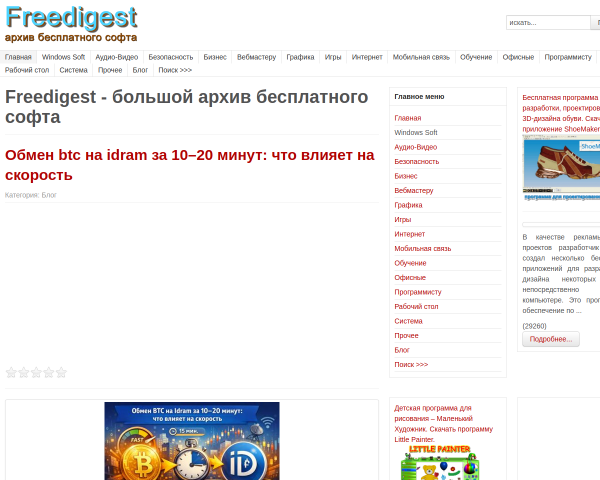
The website greets visitors with a classic software directory and numerous thematic sections covering everything from multimedia and system utilities to mobile communications and security. The visual presentation is strictly utilitarian, avoiding excessive visual clutter or complex animations, which keeps the focus entirely on practical utility and quick content discovery.
The main value of the project lies in combining a downloadable software repository with insightful articles and reviews. Alongside traditional software listings, the blog regularly publishes relevant advice on hardware selection, device configuration, and digital safety. The content explains technical concepts in clear, accessible language, helping readers navigate modern technology without unnecessary complexity.
Navigation relies on a traditional sidebar menu and category breakdowns, though advanced filtering options remain relatively basic. Program pages feature concise descriptions emphasizing key capabilities, compatibility, and use cases. This approach turns the project into a convenient reference center for a wide audience of computer and mobile users.
Overall, the resource creates the impression of a reliable informational hub designed to solve everyday computing tasks. It serves both beginners and advanced users well, offering straightforward access to free software tools and helpful technical guides without unnecessary hurdles.
What the site offers
An archive of free software for Windows and other platforms, categorized utility collections, and an informative blog featuring technical reviews and guides.
Best suited for
Home and office PC users, beginners, and tech enthusiasts looking for free software alternatives and practical troubleshooting advice.
Strengths
- wide coverage of software categories from multimedia to system tools
- actively updated blog featuring practical guides and reviews
- clean and lightweight interface free from overwhelming distractions
Potential weaknesses
- limited advanced filtering and sorting options within the software catalog
- absence of detailed user reviews and ratings for listed applications